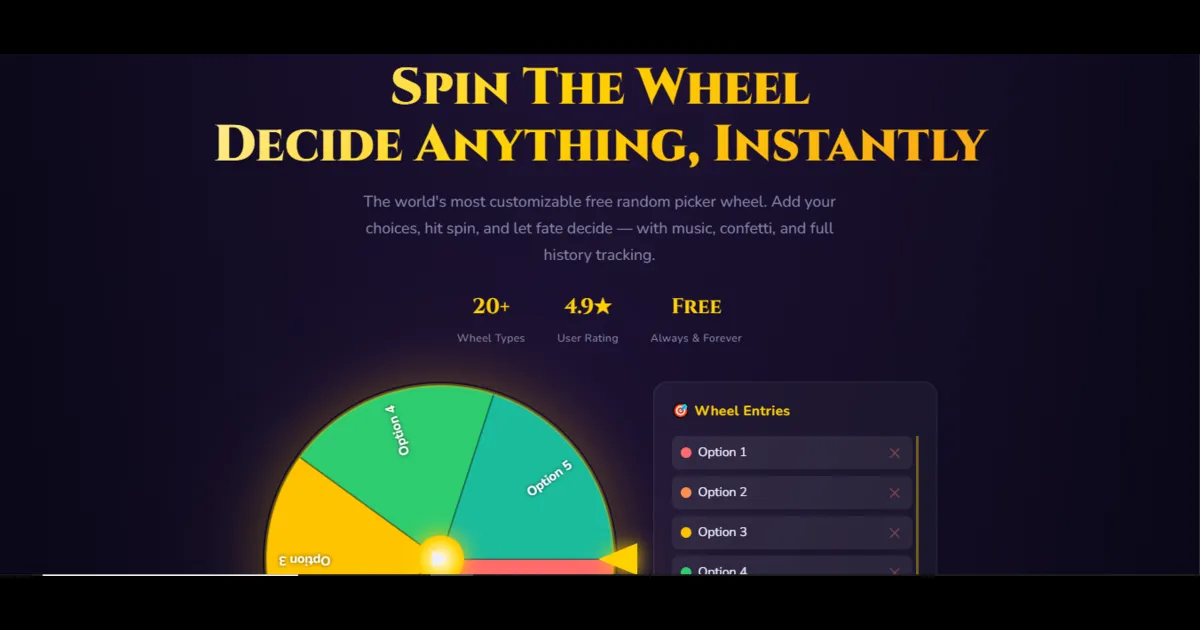
1. Why Teachers, Creators & Teams Look Beyond One Wheel
Wheel of Names popularized the modern HTML5 spinner wheel by replacing clunky Flash widgets with a clean, cheerful web canvas. For pasting twenty student names and spinning once, it still gets the job done reliably. Yet once educators, Twitch streamers, fantasy commissioners, or HR facilitators start running weekly sessions, four common friction points appear quickly:
- No Quick Preset Library for Niche Scenarios: Starting from a blank text box every time you need Bingo 1–75, all 50 US states, all 32 NFL franchises, or 16 official Twister moves wastes precious minutes before class or game night.
- Clunky Weighted Raffles: Many generic wheels force you to paste a VIP entrant's name ten separate times to grant 10x raffle odds—turning a clean 12-person prize draw into an unreadable sliver puzzle. Dedicated weight buttons (
1xto20x) solve this cleanly without duplicating text. - Ad Layout & Mobile Clutter: Heavy banner refreshes or floating video ads on free utility pages can cause Cumulative Layout Shift (CLS) on phones right as someone taps Spin.
- Lack of Audit Exports & Cryptographic Proof: Charity organizers and fantasy sports commissioners want timestamped CSV spin logs and explicit verification that results use Web Cryptography (
crypto.getRandomValues) rather than naiveMath.random()loops.
2. Top 10 Wheel of Names Alternatives Side-by-Side
We evaluated ten widely used online spin wheels across randomness architecture, slice weighting, preset depth, account friction, mobile usability, and export controls.
| Platform | Best For | Custom Weights | Pre-Built Niche Wheels | Signup Needed? |
|---|---|---|---|---|
| SpinTheWheelsOnline | Speed, CSPRNG fairness, 68+ niche presets | Yes (1x–20x buttons) | 68+ canonical tools | None (100% browser) |
| Wheel of Names | Image slices & Google Sheets import | Weight slider in customize | Community gallery | Optional for saves |
| Picker Wheel | Accumulation scoring & team grouping | Duplicate rows / settings | 15+ specialized wheels | None |
| SpinTheWheel.io / .app | Multi-wheel simultaneous spins | Yes (per-slice weight) | Large UGC directory | Optional for sync |
| Wheel Decide | Ultra-simple retro blog embeds | Manual duplicates | Classic templates | None |
| AhaSlides Spinner | Live PowerPoint & phone audience polls | Basic entry list | Interactive slide templates | Required for live slides |
| AppSorteos | Instagram / TikTok comment draws | Basic entry options | Giveaway & team tools | Optional / tiered |
| HeySpinner | Shared live chatrooms + spin rooms | Slice size controls | Solid lifestyle presets | None |
| Flippity Random Picker | Google Sheets-synced K-12 rosters | Equal list rows | Sheets-driven teacher tools | Google account for Sheets |
| ClassTools / Wordwall | K-12 arcade games & vocab quizzes | Equal list rows | Teacher-submitted activities | Freemium limits (Wordwall) |
3. Detailed Breakdown of Each Alternative
#1. SpinTheWheelsOnline (Best All-Around Speed, Privacy & Niche Library)
Designed specifically to keep the HTML5 canvas front and center without login popups, SpinTheWheelsOnline's Wheel of Names and Picker Wheel process up to 500 entries locally in browser memory. Every spin pulls entropy directly from the browser's window.crypto.getRandomValues() API with rejection sampling—zero modulo bias, zero server-side tracking of student or customer names.
Where it pulls decisively ahead is its ecosystem of 68 pre-built specialized wheels organized across eight clean hubs—from Yes or No Wheel and Weighted Decision Wheel to Fantasy Draft Order Wheel, Bingo 1–75, Icebreaker Question Wheel, and Presentation Order Wheel. You also get one-click 1x–20x slice weights, automatic winner elimination, empirical frequency statistics, CSV history export, QR codes, and responsive ?embed=1 iframes.
#2. Wheel of Names (Best for Image Uploads Inside Slices)
Wheel of Names shines when you specifically need to upload custom student photos, meme thumbnails, or brand logos straight onto individual wedges, or pull lists live from Google Sheets via OAuth. Its clean minimalism and multi-language community keep it a staple, though teachers working strictly with text rosters or wanting instant pre-loaded category hubs often prefer faster zero-login tools.
#3. Picker Wheel (Best for Multi-Spin Accumulation Mode)
Picker Wheel offers clever specialized mechanics—most notably Accumulation Mode, which tracks how many times each option wins across repeated spins to crown a cumulative champion. It also provides strong dedicated sub-tools for letters, states, and teams, though heavy ad slots across desktop and mobile viewports can clutter smaller Chromebook screens.
#4. SpinTheWheel.io & SpinTheWheel.app (Best for Simultaneous Multi-Wheels)
If your stream challenge requires spinning three wheels at the exact same second (for example: Character + Weapon + Map Modifier simultaneously), SpinTheWheel.io handles multi-wheel dashboards well and hosts thousands of community-created pop-culture wheels. The trade-off is a busier interface and variable quality across user-submitted presets.
#5. Wheel Decide (Best Classic Minimalist Iframe Embeds)
One of the earliest decision spinners on the web, Wheel Decide strips everything down to bare essentials and embeds neatly on older WordPress blogs and school sites. While the design feels dated compared to modern retina-DPI canvases and lacks CSV audit trails or probability stats, its simplicity keeps casual dinner and chore spinners coming back.
#6. AhaSlides Spinner Wheel (Best for Live Audience Presentations)
If you are presenting on stage or running a corporate town hall where hundreds of attendees scan a slide code to submit their own names onto a live PowerPoint poll, AhaSlides bridges presentation decks and random selection cleanly. For quick everyday classroom cold-calling or private list spins, however, creating an account and setting up slide sessions adds unnecessary steps.
#7. AppSorteos Spin the Wheel (Best for Social Media Comment Scraping)
Social media managers running huge Instagram, TikTok, or YouTube giveaways often rely on AppSorteos to export thousands of post comments automatically before narrowing winners down via a visual wheel. For draws under 500 participants where you paste cleaned usernames directly, our dedicated Raffle Wheel gives faster customization and cleaner weighted ticket controls.
#8. HeySpinner (Best for Shared Live Rooms)
HeySpinner blends custom slice sizing with shared rooms and chat overlays so remote friend groups can watch spins together inside a single URL room. If you just want zero-clutter screen sharing on Zoom or Discord, sharing a single browser tab with fullscreen mode avoids chat moderation headaches.
#9. Flippity Random Name Picker (Best Google Sheets Teacher Integration)
Teachers deeply invested in Google Workspace love Flippity because one published Google Spreadsheet powers not just a spinning wheel, but also instant seating charts, bracket tournaments, and random lineups. The learning curve is higher (requiring Google Sheets template copying and publishing), whereas bulk-pasting into Classroom Name Picker takes under ten seconds.
#10. ClassTools & Wordwall (Best Arcade & Gamified K-12 Activities)
ClassTools.net brings retro arcade nostalgia with its classic Fruit Machine picker, while Wordwall lets teachers turn a single vocabulary list into both a Random Wheel and matching flashcard quizzes. Note that Wordwall caps free custom activity creation behind paid monthly plans, making zero-paywall tools essential for unlimited daily classroom wheels.
4. How to Choose the Right Picker Wheel for Your Workflow
- Teachers & Professors: Use Classroom Name Picker for FERPA-friendly browser-local rosters, pair with Presentation Order Wheel on speech days, and bookmark our Names & Classrooms Hub.
- Giveaway Hosts & Commissioners: Choose Raffle Wheel or Fantasy Draft Order Wheel for weighted ticket odds, elimination mode, and downloadable CSV winner logs.
- Everyday Indecision & Couples: Start inside our Quick Decisions Hub with Yes or No Wheel or Weighted Decision Wheel.
- Live Presenters Needing Phone Voting: Pair slide polling on AhaSlides with embedded SpinTheWheelsOnline widgets when you need custom weighted draws.
🎡 Try the Free Wheels Featured in This Guide
Browse Names & Classrooms Hub →Free online Wheel of Names to pick random winners, students, or raffle entries. Bulk pas…
Free Picker Wheel tool to choose randomly from any custom list. Bulk paste options, weig…
Engage every student fairly with the Classroom Name Picker Wheel. Paste rosters from Goo…
Run transparent online raffles, Instagram giveaways & charity prize draws. Paste ticket …
Spin the Yes or No wheel free for instant, unbiased 50/50 answers! Switch between strict…
Overcome analysis paralysis with the free Decision Wheel. Weigh real-life options, prior…
Spin the free Icebreaker Question Wheel for Zoom meetings, onboarding calls, classrooms,…
Assign fair presentation turns, daily standup speakers, demo day slots, and classroom sp…
5. Frequently Asked Questions
What is the best free alternative to Wheel of Names with weighted odds?
SpinTheWheelsOnline lets you scale any slice's win probability from 1x up to 20x using simple + and - buttons while keeping names legible, backed by Web Cryptography and CSV history export.
Which Wheel of Names alternative keeps student rosters completely private?
SpinTheWheelsOnline runs 100% inside your browser's local memory and LocalStorage—never transmitting pasted student rosters or personal names to third-party servers.
Can I import names straight from Excel or Google Sheets without logging in?
Yes. Copy any column of names in Excel or Google Sheets, click "Bulk Paste Entries" on Wheel of Names or Classroom Name Picker, and spin up to 500 entries right away.
Which spinner wheel works best inside Notion, WordPress, or Google Sites?
Both SpinTheWheelsOnline (via the Embed Wheel modal generating clean ?embed=1 iframes) and Wheel Decide embed cleanly into Notion, Canvas, WordPress, and Google Sites.
How do I check if a random wheel uses real cryptographic randomness?
Look for explicit documentation of window.crypto.getRandomValues() rejection sampling rather than basic Math.random(), or read our breakdown in Is a Digital Spin Wheel Truly Random?.