📋 Table of Contents
Ask most people why their week fell apart and they'll blame a lack of time. Look closer and it's usually a lack of decisions made in advance. Every unplanned dinner, unplanned workout, and unplanned work block is a fresh decision demanded of a brain that's already spent most of its daily decision-making budget by 10 a.m.
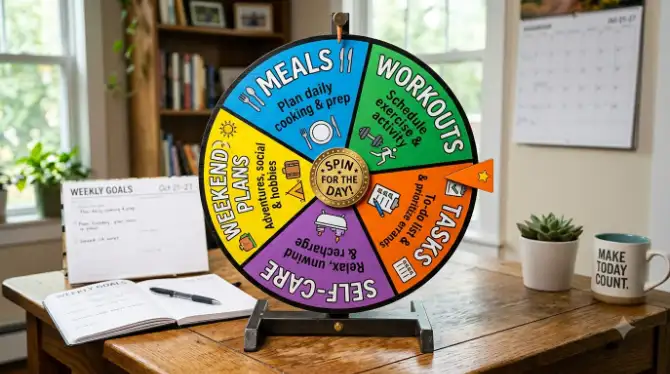
A spin wheel fixes this by moving the decision earlier — to a calm Sunday afternoon instead of a frazzled Tuesday evening. You choose the pool of acceptable options once. The wheel picks from that pool every time after. You never decide twice.
If you haven't used a spin wheel for anything beyond picking a name out of a hat, it's worth skimming what a spin wheel tool actually is and how it generates a result first. Understanding that each entry has a genuinely equal chance makes everything in this guide click faster.
Why a Spin Wheel Works for Weekly Planning
Planning advice usually assumes the problem is a lack of structure — that with a better template or a fancier app, the indecision would disappear. In practice, the culprit is usually simpler: choosing is tiring, and tired brains choose badly.
Researchers describe this as decision fatigue — the tendency for judgment to get worse the more choices a person has already made that day. By the time you're standing in front of the fridge at 6 p.m., you've likely made hundreds of smaller decisions already, and "what's for dinner" lands on an exhausted brain that reaches for the path of least resistance — often takeout, or nothing at all.
For more on the science, see our piece on the psychology behind random decision making, which covers why outsourcing low-stakes choices to a random tool is a legitimate way to protect mental energy, not a shortcut around effort.
The Rule That Makes the Whole System Work
Only put entries on the wheel you'd be genuinely glad to land on. This is the entire foundation. A wheel loaded with obligations you secretly want to avoid turns into something to be gamed or ignored. A wheel loaded only with pre-approved options turns into something you trust — because there's no bad outcome possible.
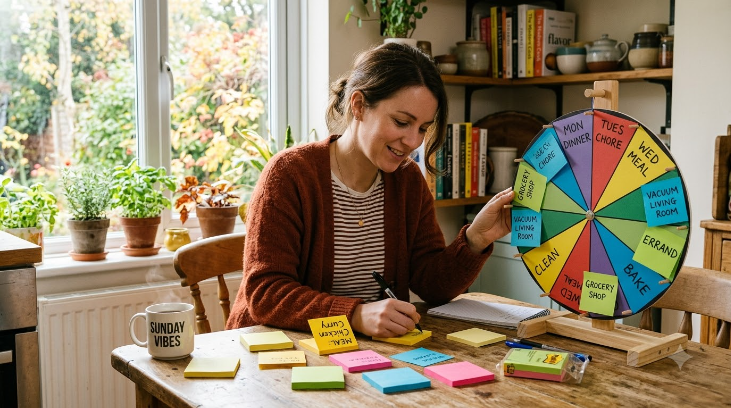
Bookmark each finished wheel as its own link. A "Meals Wheel," a "Workouts Wheel," and a "Tasks Wheel" living in one browser folder means your whole planning system is one tap away, on any device, without ever creating an account.
Meal Planning with a Spin Wheel
"What do you want for dinner?" is one of the most repeated — and least enjoyed — questions in any household. Food alone accounts for dozens of small decisions a day: what to buy, what to cook, what to skip, what to reheat. A dedicated meal wheel collapses all of that into a three-second spin.
Build it once, ideally on a Sunday when you're not hungry or rushed, and trust it for the week that follows.
Building Your Meal Wheel Step by Step
-
1List meals your household actually enjoys. Resist adding "healthy" options nobody will cook. Aim for 10–18 entries — enough range to feel varied, few enough that nothing is forgotten.
-
2Mix in a couple of wildcards. Entries like "Order in," "Breakfast for dinner," or "Fridge clear-out night" cover the nights you simply don't have the energy to cook from scratch.
-
3Spin five times on Sunday. Those results become Monday through Friday's dinners — decided, done, no renegotiating mid-week.
-
4Post the results somewhere visible — a whiteboard, a shared note, a magnet on the fridge — so nobody has to ask "wait, what was Wednesday again?"
Ready-to-Use: Weekly Dinner Wheel
14 entries · ~15 mins to set upPaste these straight into the free tool to get started:
Beyond Dinner: Breakfasts, Lunches & Kids' Meals
The same approach works for every meal slot. A breakfast wheel with six to eight entries (overnight oats, eggs, a yoghurt bowl, avocado toast, a smoothie, cereal, or leftovers) removes one more decision from the part of the day when willpower is usually at its highest — worth protecting.
Households with picky eaters often get the most out of a "kids' lunch wheel." Letting a child spin it themselves tends to increase how willingly they accept the result — a dynamic explored further in our guide to family-friendly wheel activities, where shared ownership of the spin turns a potential argument into a game everyone wants to play.
Workout & Fitness Planning with a Spin Wheel
What derails most fitness routines isn't a lack of motivation — it's standing in workout gear with no clear plan and no energy left to make one. A fitness wheel solves both problems at once: it keeps sessions varied, and it removes the decision entirely.
A community member who tried this for four months described putting eight workout types on a wheel and simply spinning each morning — noting that the missing piece was never motivation, but the daily choice itself.
— Community feedback, 2026A Three-Wheel Fitness System
Rather than one large fitness wheel, three smaller, linked wheels give you real variety without the randomness becoming an excuse to always pick the easiest option.
Wheel 1: Workout Type
Spin once per sessionWheel 2: Duration
Spin once per sessionWheel 3: Focus Area (Strength Days)
Only spin when Wheel 1 = Strength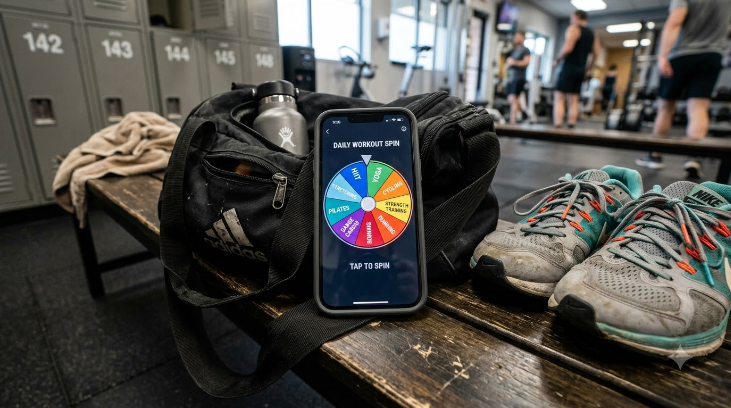
A Morning Habit Wheel
Fitness isn't limited to structured workouts. A morning routine wheel — journalling, a ten-minute stretch, a cold shower, meditation, reading, or a short walk — keeps a pre-work ritual feeling fresh instead of robotic. Spin it each morning and commit to whichever single habit lands.
This reframe helps people who tend to abandon habit streaks after one missed day. Instead of tracking an unbroken chain, every morning is simply one independent spin — which removes the all-or-nothing pressure that usually kills the habit in the first place.
Task & Work Planning with a Spin Wheel
Procrastination rarely comes from not wanting to work — it comes from the cost of picking where to start. You open your task list, scan for the "right" first item, don't find one, and forty-five minutes later you've reorganized the list three times without touching a single task on it.
A spin wheel interrupts that loop before it starts.
Task wheels work well for distributed teams too — visible, fair, and mildly fun. See how remote teams use spin wheels for decisions for task allocation, icebreaker pickers, and retrospective topic ideas.
The Daily Task Wheel Method
At the start of a work block, load the wheel with today's actionable tasks (five to ten items — beyond that, none of them get real focus). Spin, then work on whatever lands for one full Pomodoro (25 minutes). Spin again for the next block.
-
1Add today's actionable items only — not your entire backlog. If a task is vague ("work on project"), break it into one concrete next action first.
-
2Spin at the start of each Pomodoro. The result is your focus for the next 25 minutes — no negotiating, no "but this one feels more urgent."
-
3Remove tasks as you finish them. A shrinking wheel is a satisfying, visible measure of progress through the day.
-
4For quick binary calls — "reply now or batch it later?" — pair this with the Yes or No Wheel, built specifically for two-option decisions.
A Weekly Work-Rhythm Wheel
Beyond daily Pomodoros, a weekly task-category wheel prevents you from accidentally spending three days on one type of work while everything else stalls. Load it with categories like Deep Work, Admin, Emails, Creative, Meetings Prep, and Learning, then spin at the start of each half-day to set that block's focus.
Running a team or classroom? A name picker wheel alongside your task wheel randomly assigns work to team members — visible, fair, and it skips the awkward "who wants this one?" silence.
Ready-to-Use: Weekly Work Rhythm Wheel
Spin each half-daySelf-Care & Downtime: The Category Everyone Skips
Most weekly planning systems treat rest and hobbies as whatever's left over once everything else is done — which usually means they never happen at all.
A dedicated self-care wheel treats personal time with the same weight as meals and workouts. Once it's spun, the result isn't optional or "if there's time" — it's already decided, the same as any other commitment on the calendar.
Self-Care & Evening Wind-Down Wheel
Spin each evening
The same principle extends to weekends and social plans. See spin wheel ideas for birthdays and celebrations for dozens of ready-to-use activity setups that double as regular weekend inspiration.
Building Your Five-Wheel Weekly System
The real value isn't in any single wheel — it's in a small set of saved wheels that together cover the whole week. Here's the complete setup.
Your Five Core Wheels
The Full Weekly System
5 wheels · ~40 min one-time setup-
🍽️
Meal Wheel — 12–16 dinners plus a handful of lunches and wildcards. Spin Sunday to set the week.
-
💪
Fitness Wheel — workout type, duration, and focus area as three linked wheels. Spin each morning you exercise.
-
✅
Task Wheel — today's actionable items. Spin at the start of every Pomodoro block.
-
🌿
Self-Care Wheel — 8–12 evening activities. Spin after dinner most nights.
-
🎉
Weekend Wheel — outings, social plans, or errands. Spin Friday evening to set the weekend.
Saving and Accessing Your Wheels
The free tool at spinthewheelsonline generates a unique, shareable link for every wheel you build. Save all five as bookmarks — ideally in a single "Planning" folder — and the entire system is one tap away on any device.
You can also share these links with household members or teammates so everyone spins from the same pre-approved list. This matters most for meal and weekend wheels, since it removes the "I didn't choose this" objection when the options were agreed on ahead of time.
If you're wondering whether the wheel quietly favors certain entries over time, it doesn't. Our piece on whether a digital spin wheel is truly random breaks down the underlying number generator in plain language — every entry keeps an equal chance on every spin, independent of what came up before.
What to Do When You Disagree With the Spin
This will happen, and it's useful information when it does. A spin result that makes you think "ugh, not that" is a signal the entry probably doesn't belong on the wheel. Remove it. The wheel should only ever hold options you're genuinely willing to act on.
On the flip side, if you notice you keep hoping for something that rarely comes up, add it a second time to raise its odds. The tool supports weighted entries, so you could give "Rest Day" one slot and "HIIT" two if that better matches your current goals.
Sample Week: What a Spin-Planned Week Looks Like
Here's one realistic output from all five wheels for a single week:
| Day | 🍽️ Meal | 💪 Workout | ✅ Work Focus | 🌿 Evening |
|---|---|---|---|---|
| Monday | Veggie Curry | HIIT 30 min | Deep Work | Journalling |
| Tuesday | Stir-fry | Upper Body | Email & Comms | Reading 30 min |
| Wednesday | Pasta Bolognese | Active Rest | Creative Block | Call a Friend |
| Thursday | Salmon & Greens | Yoga 45 min | Admin | No-Screens Hour |
| Friday | Takeaway | Cycling 60 min | Review & Edit | Hobby Project |
| Saturday | Homemade Pizza | Long Walk | Weekend Mode | Podcast & Stretch |
| Sunday | Roast Chicken | Pilates 30 min | Planning Day | Bath + Early Night |
* This is one example output. Every spin produces a different week — that's the point.
Mistakes That Undermine a Planning Wheel
Most people who try this and give up after a week fall into one of a few avoidable traps. Watch for these before you build your first wheel.
- Adding "should" options instead of "want" options. A wheel padded with kale salads you never actually eat produces spins you dread. Only add what you'd choose yourself on a good day.
- Making one giant wheel for everything. Mixing meals, tasks, and self-care on a single wheel produces confusing, low-relevance results. Keep each wheel scoped to one category.
- Never editing the wheel. A wheel is a living list, not a one-time setup. Swap in new entries every couple of months, and remove anything that consistently gets skipped.
- Treating the result as optional. The whole benefit disappears if you spin and then second-guess the outcome anyway. If you don't trust yourself to follow through, the entry probably shouldn't be on the wheel.
Frequently Asked Questions
For meal wheels, 10–16 entries is the sweet spot — enough variety to feel genuinely random without becoming unmanageable. Fitness wheels work well with 6–8 workout types. Task wheels should stick to that day's actual items (5–10 max). Self-care wheels do best with 8–12 options, enough to avoid repetition without feeling forced.
The general rule: enough variety to surprise you, few enough that every option is something you'd actually do.
No — reuse them. Save each wheel as a bookmarked link and return to it in one click. Refresh the task wheel daily since tasks change, but meal, fitness, and self-care wheels can stay the same for months, updated only when you want new options.
A good rhythm: review your meal and fitness wheels every 8–10 weeks and swap in three or four fresh entries.
Spin again, then update the wheel. A result you can't follow through on is a sign the entry wasn't ready to be there in the first place. For meals, only include dishes you already have or can easily get the ingredients for. If something needs a special shopping trip, move it to a separate "weekend meals" wheel instead.
A to-do list tells you what needs doing — it doesn't remove the decision of which item to start with. Most productivity apps run into exactly this problem: you open one, see fifteen tasks, and spend ten minutes reorganizing instead of working. A spin wheel forces a start. It's a commitment device, not another list to manage.
More on this in our piece on the psychology behind random decision making.
This works best when every option on the wheel is already pre-approved and roughly equivalent — meals, workouts, tasks of similar priority, evening activities. For high-stakes or irreversible decisions — career moves, major purchases, relationships — don't outsource the call to a random tool.
A simple test: if every option on the wheel would be fine, spin. If landing on the "wrong" one would genuinely hurt you, don't. Our comparison of spin wheels vs. other random pickers covers this in more depth.
Yes, and it tends to work especially well. Share your meal or activity wheel link with your partner and spin it together each Sunday. Because everyone agreed to the entries in advance, the result stands without being contested. Kids in particular tend to enjoy spinning — it reframes "what's for dinner?" as a small game instead of a negotiation.
See our guide to family wheel spinner ideas for activity, game night, and chore-assignment wheels for all ages.
✅ Key Takeaways
- A spin wheel solves decision fatigue, not decision-making — pre-load it with options you already approve, then commit to the result.
- Build five wheels: meals, fitness, tasks, self-care, and weekend. Bookmark each for one-click access all week.
- Spin the meal wheel on Sunday, the task wheel at the start of each Pomodoro, and the self-care wheel each evening.
- A "not that" reaction to a spin result is a signal to remove the entry, not to override the spin.
- Share household wheels with family or teammates — shared spins mean shared buy-in, with no arguments afterward.
- Explore more: the psychology of random decisions, 10 best spin wheel uses, and spin wheels for remote teams.